OK3568 4.19.206 Adding Fortran Compilers
Document classification: □ Top secret □ Secret □ Internal information ■ Open
Copyright
The copyright of this manual belongs to Baoding Folinx Embedded Technology Co., Ltd. Without the written permission of our company, no organizations or individuals have the right to copy, distribute, or reproduce any part of this manual in any form, and violators will be held legally responsible.
Forlinx adheres to copyrights of all graphics and texts used in all publications in original or license-free forms.
The drivers and utilities used for the components are subject to the copyrights of the respective manufacturers. The license conditions of the respective manufacturer are to be adhered to. Related license expenses for the operating system and applications should be calculated/declared separately by the related party or its representatives.
Adding Fortran Compilers
I. Buildroot Configuration
Open the graphical configuration interface by going to/3568/OK3568-linux-source/buildroot/output/OK3568;
After entering the graphical configuration interface, enter/search fortran and press 1 on the keyboard.
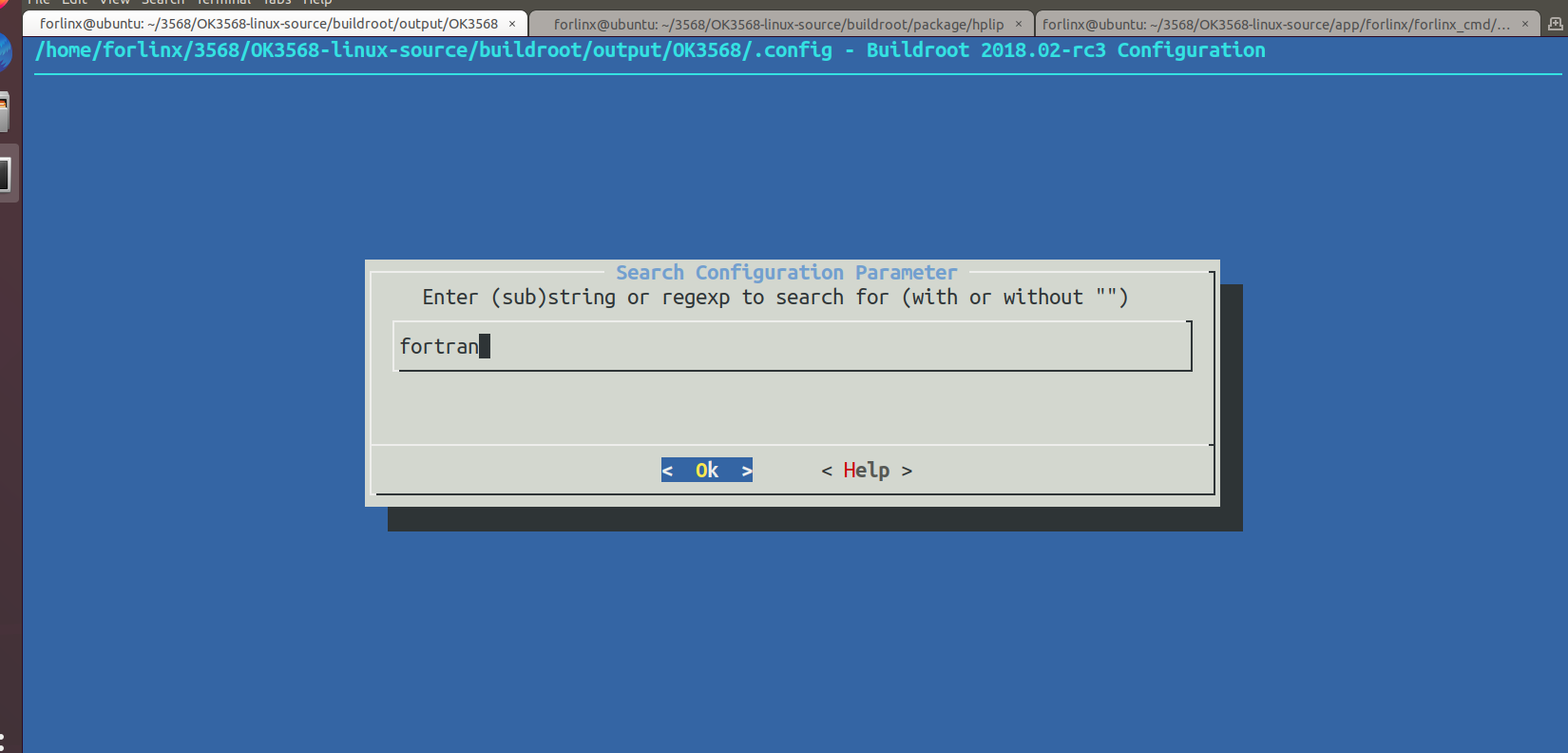
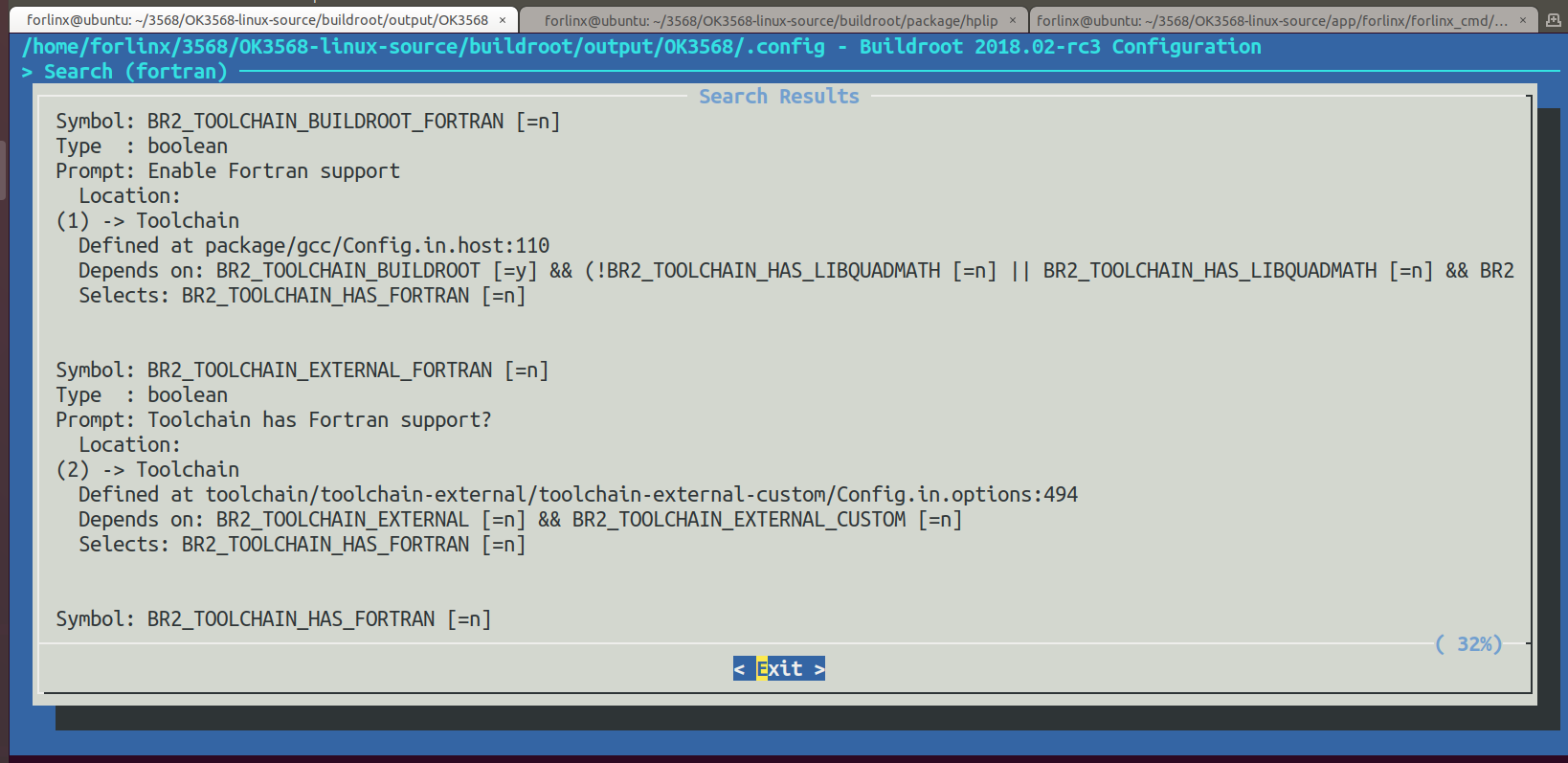
Press Y to select the enable fortran support and save it.
Go back to the/3568/OK3568-linux-source path to compile the file system. Select n when compiling.
Go after compiling.
/home/forlinx/3568/OK3568-linux-source/buildroot/output/OK3568/host/bin
Check for aarch64-linux-gfortran under the path.
II. Possible Problems
The aarch64-linux-gfortran is not generated.
/home/forlinx/3568/OK3568-linux-source/buildroot/output/OK3568/build
Delete host-gcc-final-9.3.0 in the path.

Recompile buildroot.
The final generated compiler is:
aarch64-linux-gfortran