Logo

RK Development Manual

  • Common Commands
  • Product Design Process
  • Interface Category
  • Buildroot System
    • 3399
    • 3506
    • 3562
    • 3568
      • OK3568 4.19.206 Buildroot Installing Bridge Tool (bridge-utils) in Buildroot
      • OK3568 4.19.206 Buildroot Controlling GPIO Pins via Sysfs in C Language
      • OK3568 4.19.206 Buildroot Debugging with GDB and GDB Server
      • OK3568 4.19.206 Buildroot JDK_Support
      • OK3568 4.19.206 Buildroot Not Effective After Menuconfig Configuration
      • OK3568 4.19.206 Buildroot PCIe to SATA Function Modification Method
      • OK3568 4.19.206 Buildroot PWM PWM Multiplexing Method and Test
      • OK3568 4.19.206 Buildroot Qt-creator Remote Debug
      • OK3568 4.19.206 Buildroot UART8 Multiplexed as CAN2
      • OK3568 4.19.206 Buildroot Multiplexing UART8 Bluetooth Serial Port as a General Serial Port
      • OK3568 4.19.206 Buildroot Disabling the Watchdog in Uboot
      • OK3568 4.19.206 Buildroot USB Host-to-Slave Switching
      • OK3568 4.19.206 Buildroot USB-to-Ethernet Adapter Renaming Method
      • OK3568 4.19.206 Buildroot Weston Desktop Reference Link
        • Copyright
        • Revision History
        • Weston Desktop Reference Link
      • OK3568 4.19.206 Buildroot WIFI Renaming Operation Method
      • OK3568 4.19.206 Buildroot Configuring Static IP for Wi-Fi and Enabling Automatic Connection on Startup
      • OK3568 4.19.206 Buildroot WiFi Auto-Start Script
      • OK3588 4.19.206 Buildroot Nginx Installation
      • OK3568 4.19.206 Buildroot Package Recompilation
      • OK3568 4.19.206 Memory View and Capacity Storage
      • OK3568 4.19.206 Buildroot Kernel Configuration View
      • OK3568 4.19.206 Buildroot Issue of Incorrect MAC Address Reply When PC Pings Device
      • OK3568 4.19.206 Buildroot Fixed Resolution Output
      • OK3568 4.19.206 Buildroot Fixed USB to Network Port or Serial Port Name
      • OK3568 4.19.206 Compatibility Method for 32-bit Applications
      • OK3568 4.19.206 Python3 Installation
      • OK3568 4.19.206 Tool Command Line for Recording Mouse Actions
      • OK3568 4.19.206 Buildroot Command Line Control of GPIO Pins
      • OK3568 4.19.206 Buildroot Package Configuration Fails to Apply
      • OK3568 4.19.206 Buildroot Auto-start Applications on Boot
      • OK3568 4.19.206 Add an Auto-start Script
      • OK3568 4.19.206 Buildroot Command Line Control of GPIO Pins
      • OK3568 4.19.206 Non-effective Configuration Packages
      • OK3568 4.19.206 Buildroot Serial Port Automatic Login Cancellation
      • OK3568 4.19.206 Buildroot Removing Desktop Forlinx App Launcher String
      • OK3568 4.19.206 Buildroot Removing Desktop Forlinx Icon
      • OK3568 4.19.206 Buildroot Delayline Parameter Scanning and Modification
      • OK3568 4.19.206 Implementing Support for NFS Services
      • OK3568 4.19.206 Buildroot Adding HP Printer
      • OK3568 4.19.206 Implementing Logo Animation Effects
      • OK3568 4.19.206 Adding mysql8.0.32
      • OK3568 4.19.206 Buildroot Adding PCIe-to-NIC Driver 81111H
      • OK3568 4.19.206 Buildroot Adding the Python3 - pip Installation Package
      • OK3568 4.19.206 Buildroot Adding User Programs
      • OK3568 4.19.206 Buildroot Webcam Stream: Pull then Push to Virtual Machine
      • OK3568 4.19.206 Buildroot Tailoring and Removal of QT-Related Elements in File System
      • OK3568 4.19.206 Display Color Temperature Adjustment
      • OK3568 4.19.206 Buildroot Modification of BusyBox Configuration
      • OK3568 4.19.206 Modifying the EMMC Partition Size
      • OK3568 4.19.206 Buildroot Modifying the Screen Display Configuration
      • OK3568 4.19.206 Buildroot Modifying User Name and Password
      • OK3568 4.19.206 Buildroot Lvgl8.2 Porting
      • OK3568 4.19.206 Library Porting
      • OK3568 4.19.206 Browser Porting
      • OK3568 4.19.206 User Layer Logo Replacement
      • OK3568 4.19.206 Self-Reception Scheme in the Native CAN Driver
      • OK3568 4.19.206 Adding Fortran Compilers
      • OK3568 4.19.206 Automatic Detection of USB Drive Upgrade Packages
      • OK3568 4.19.206 Buildroot Rapid Deployment of CODESYS Runtime
      • OK3568 5.10.160 Buildroot New Partition Addition
    • 3576
    • 3588
  • Forlinx Desktop System
  • Android OS
  • Debian OS
  • General Platform Skills Knowledge
Forlinx Embedded RK Development Manual
  • Buildroot System
  • 3568
  • OK3568 4.19.206 Buildroot Weston Desktop Reference Link

OK3568 4.19.206 Buildroot Weston Desktop Reference Link

Document classification: □ Top secret □ Secret □ Internal information ■ Open

Copyright

The copyright of this manual belongs to Baoding Folinx Embedded Technology Co., Ltd. Without the written permission of our company, no organizations or individuals have the right to copy, distribute, or reproduce any part of this manual in any form, and violators will be held legally responsible.
Forlinx adheres to copyrights of all graphics and texts used in all publications in original or license-free forms.
The drivers and utilities used for the components are subject to the copyrights of the respective manufacturers. The license conditions of the respective manufacturer are to be adhered to. Related license expenses for the operating system and applications should be calculated/declared separately by the related party or its representatives.

Revision History

Date

Version

Revision History

04/08/2022

V1.0

Initial Version

Weston Desktop Reference Link

https://www.mankier.com/5/weston.ini#Output_Section

  1. View Display Devices

Enter the command ls /sys/class/drm. Taking MIPI display as an example.

Image

  1. Adjust Screen Orientation

Modify the file /etc/xdg/weston/weston.ini:

[output]

name=DSI-1 // Corresponds to the list above, remove “card0”

transform=0/90/180/270 //Rotation angle

Note: For SDK versions with Linux kernel 5.10 and above, use transform = rotate-90 / rotate-180 / rotate-270.

  1. Supported Resolutions

View the supported resolutions for the display adapter, using MIPI display as an example.

Image

  1. Configure Resolution

[output]

name=DSI-1 // Corresponds to the list above, remove “card0”

mode=1024x600 // Must be a valid resolution supported by the screen

scale=2 // Must be an integer multiple

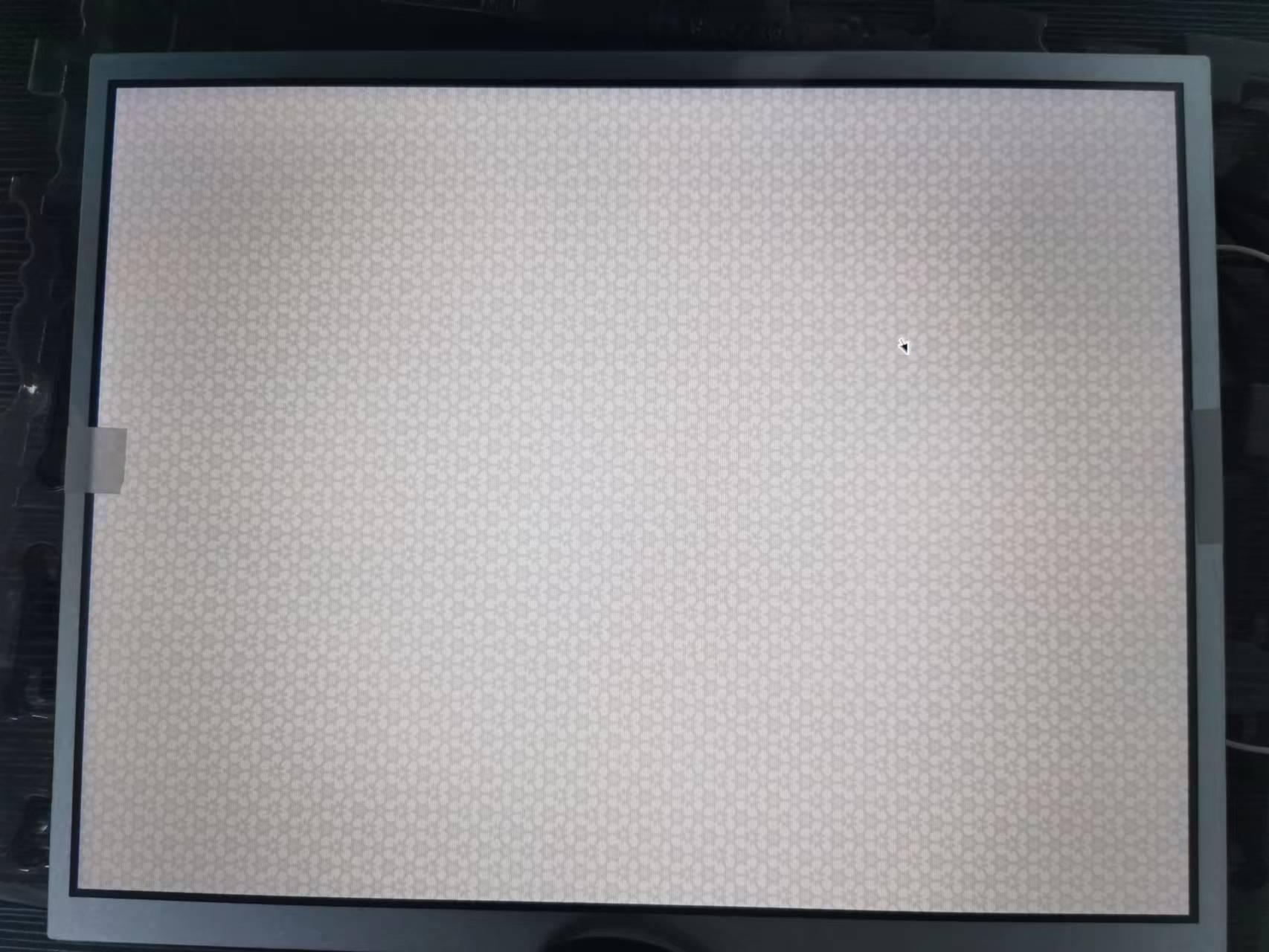
  1. Remove Grid Background

Image

[shell]

panel-position=none // Remove the panel toolbar

background-color=0x00FFFFFF // Set background to fully transparent

© Forlinx Embedded